Winx Club Moonlight Quest PC System Requirements
Minimum and recommended Steam specs, with console notes for Switch, PlayStation, and Xbox players.
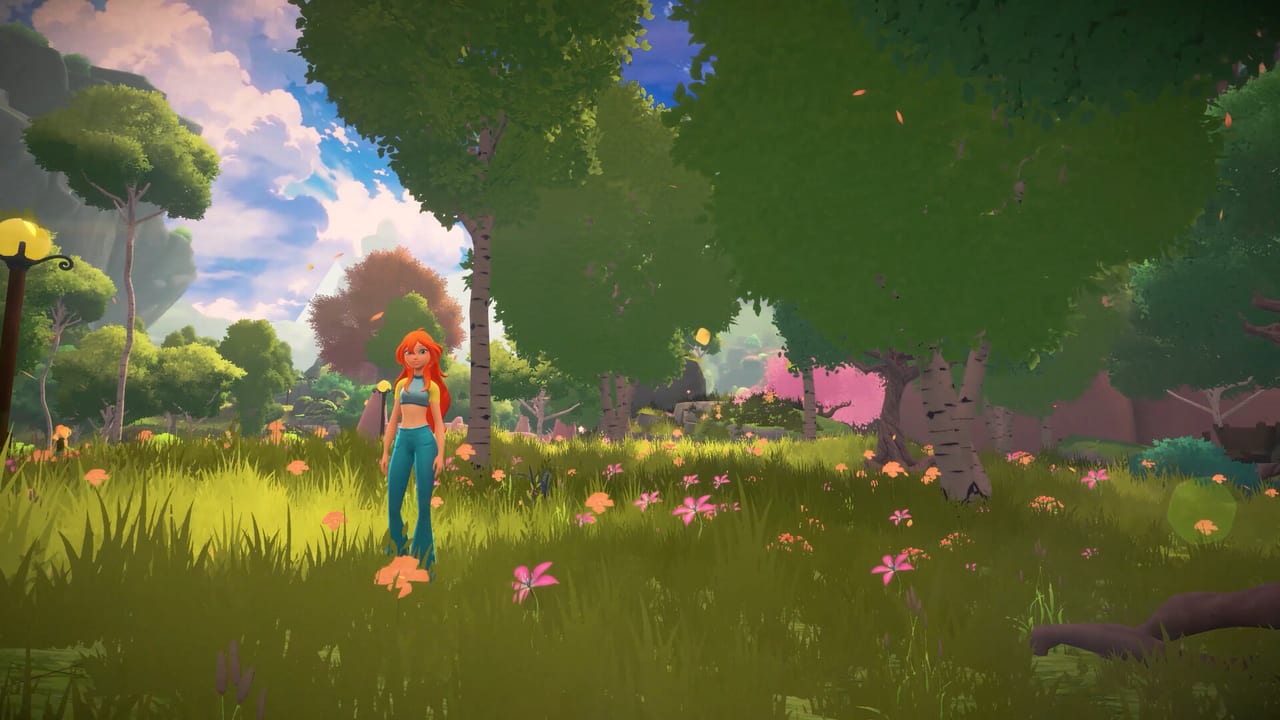
Winx Club: Moonlight Quest launches on PC through Steam (app ID 5189950) alongside a wide console family. If you plan to fly Bloom across Magix on a gaming PC, this page is your gate check. Below you will find the publicly circulated minimum and recommended specifications, plain-language translation of what those boxes mean, and notes for players who are choosing consoles instead. Pair this article with pre-order and platforms and the parent Tools Hub.
Specs can be revised by the developer before or after launch. When Steam updates the store tablet, trust Steam first, then return here for interpretation.
Minimum PC specifications
These are the entry-level targets associated with the Steam listing:
- OS: Windows 10
- CPU: Intel Core i5 (5th generation class) or equivalent
- Memory: 8 GB RAM
- GPU: NVIDIA GeForce GTX 1060 class or equivalent
- DirectX: Version 11
- Storage: approximately 8 GB available space
Minimum does not mean maximum settings. Expect to lower shadows, reflections, foliage density, and flight draw distance if you sit exactly on a GTX 1060 with 8 GB of system memory. Open-world traversal and split-screen—if enabled on PC—will stress CPU and GPU harder than calm story cutscenes.
Recommended PC specifications
For a smoother target closer to modern defaults:
- CPU: Intel Core i5 (8th generation class) or better
- Memory: 16 GB RAM
- GPU: NVIDIA GeForce RTX 2060 class or better
Recommended configurations usually assume you want stable frame times while Bloom is airborne over denser spaces such as Magix City festival crowds or multi-character challenge arenas. If you own a newer midrange card, you still benefit from 16 GB of RAM for background Discord, browser wikis, and overlay software.
How to read these numbers honestly
A 5th-generation Core i5 and GTX 1060 define a late-2010s baseline. That is approachable for many family PCs, which fits a Winx audience, but it is not a guarantee of 60 FPS at 1440p. Prioritize:
- GPU headroom for particle-heavy fairy combat.
- RAM so 8 GB systems are not paging during open-world streaming.
- SSD storage even though the disk footprint is modest; install size near 8 GB still benefits from fast seeks when streaming Magix chunks.
- DirectX 11 compatibility—verify your GPU drivers are current rather than assuming an ancient laptop dGPU will pass.
Laptop players should compare both the CPU generation and whether the discrete GPU is actually enabled on AC power. Many thin laptops advertise GTX or RTX names but thermally limit them under prolonged flight sequences.
Display, controls, and PC quality-of-life
Steam listings for Moonlight Quest emphasize controller support. A full gamepad is the comfortable way to handle flight and transformation fantasy, though keyboard and mouse should remain available. Before launch night:
- Update GPU drivers.
- Verify Windows 10 or newer is patched.
- Leave free space beyond the 8 GB install estimate for shaders and future patches.
- Disable aggressive RGB or overlay suites if you troubleshoot stutter.
After launch, this section will add confirmed resolution options, ultrawide behavior, and whether frame generation or upscalers appear.
Console notes (not PC specs, still useful)
Nintendo Switch and Switch 2: Expect a portable-first presentation with docked mode gains. Switch 2 compatibility messaging for the Switch version has been described as supported with behavior consistent with Switch; check Nintendo’s live product page for the latest compatibility statement. Local challenge play is a major reason families pick Nintendo hardware.
PlayStation 5 and PlayStation 4: PS5 is the current-gen target; PS4 remains listed for last-gen households. Load times, resolution, and effects will differ. DualSense features may appear on PS5 builds—confirm in the published PlayStation feature list at purchase time.
Xbox Series X|S and Xbox One: Series consoles are optimized targets with Smart Delivery style storefront language on Xbox listings. Xbox One covers last-gen. Local multiplayer capabilities are called out on Xbox storefront materials in a small-party range suitable for challenge nights.
Consoles remove the GPU guessing game but still need free storage and up-to-date system software before pre-load.
Performance expectations for Magic Challenge
Story exploration with one player as Bloom is one profile. Local split-screen challenges with multiple fairy kits is another. If you are a PC owner who cares about couch play, budget more GPU than the absolute minimum. Dynamic resolution or lowered effects are normal tools if frame time tanks when a second viewport opens.
Troubleshooting mindset for launch week
If the game underperforms relative to the recommended box:
- Cap frame rate to stabilize pacing.
- Lower volumetric fog and shadows first.
- Move the install to an SSD.
- Close Chromium browsers with dozens of tabs.
- Verify Steam files after the first major patch.
Collect your GPU model name and driver version before asking for help on Discord—links live on the Links Hub.
Related buyer steps
- Compare platforms and Cardix windows on pre-order and platforms.
- Track the countdown on release date.
- Watch trailers to see how dense environments look in motion.
- Read what to expect so performance hopes match genre reality.
- Return to the Tools Hub for the short checklist version.
Moonlight Quest is not marketed as a hyper-demanding simulation, but open-world flight plus particle combat plus local multiplayer can still punish underpowered PCs. Match or beat the recommended line if you can, keep drivers fresh, and you will spend launch night chasing the Festival of the 100 Moons instead of chasing frame drops.
Frequently Asked Questions
Quick answers to the most common questions.
What is the minimum GPU for PC?
A GeForce GTX 1060 class card (or equivalent) is the circulated minimum, alongside DirectX 11 support.
How much RAM do I need?
8 GB is the minimum listing; 16 GB is recommended for a smoother experience with modern multitasking.
How large is the install?
Plan for about 8 GB of free disk space for the base game, plus extra room for patches and shader caches.
Do consoles share these PC requirements?
No. Console editions target their own hardware profiles. Use this page for Steam PCs and the console notes section for platform expectations.